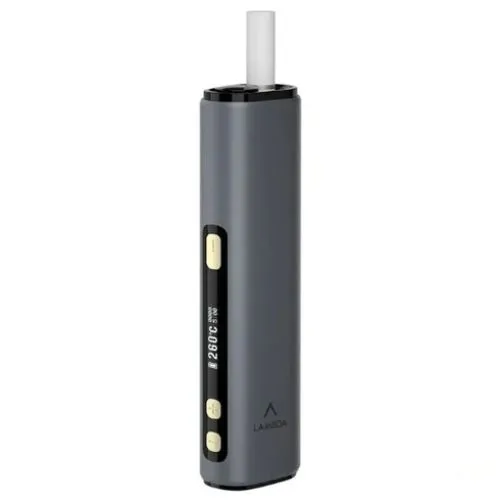

About LAMBDA i9 Black Device
Black is the default finish in the Lambda i9 range, the most bought of the six and the one that draws the least attention. Matte-leaning, neutral, and at home in any setting from a site office to a majlis.
The device is the same in every colour: Smartcore-compatible induction, OLED display, self-cleaning function, 200 to 300°C adjustable, 3 to 6 minute sessions, 3200 mAh battery, USB Type-C.
The i8 Owner’s Question, Answered Properly
Most people looking at this page already own a Lambda i8, and they are all asking the same thing: is the i9 an upgrade worth paying for, or a version number?
Here is the delta, item by item, with an honest weight on each.
The screen: real gain, situational. The i8’s LED display and the i9’s OLED show the same three readings, temperature, session time and battery. The difference is contrast and legibility, and it only matters where legibility fails, which is direct sunlight. If you check your settings outdoors, on a site, at a pool, walking between buildings in July, the OLED earns its place every single day. If your device lives indoors, you are paying for a nicer version of something that already worked.
Self-cleaning: real gain, small. The i8 asked for a two-minute brush-out every twenty sticks. The i9 replaces that with a cleaning cycle and a tap-out. That is a genuine convenience, and it is also two minutes a fortnight, so weigh it as exactly that. The people who benefit most are the ones who never did the i8 brushing on time and lived with a slowly tightening draw as a result. If that is you, and you know if it is, this feature is worth more to you than to the disciplined.
Everything you bought the i8 for: unchanged. Temperature range, session range, memory, battery capacity, session count, charge time, stick compatibility. The i9 does not heat differently, last longer, or run sticks the i8 cannot. This is the core fact of the upgrade decision, and listings tend to bury it.
So the honest verdict has three cases. Outdoors-heavy users: upgrade, the screen alone justifies it here. Lapsed cleaners: upgrade, you will feel the difference in draw consistency within a month. Everyone else: your i8 is not obsolete, and the better move is usually to run it until it ages out and buy the current generation then.
If you are coming from neither, with no Lambda at all, none of this applies and the i9 is simply the current model to buy. The collection page covers the case against an IQOS ILUMA instead.
Technical Specifications
| Specification | Detail |
|---|---|
| Model | LAMBDA i9 |
| Colour | Black |
| Heating | Smartcore-compatible induction |
| Blade | None |
| Display | OLED |
| Self-cleaning | Yes |
| Working temperature | 200 to 300°C, adjustable |
| Session time | 3 to 6 minutes, adjustable |
| Settings memory | Yes |
| Battery | 3200 mAh |
| Sessions per charge | Up to 40 |
| Input | 5V, 2A |
| Port | USB Type-C |
| Charge time | Approximately 2.5 hours |
| Sticks | TEREA, SENTIA, Smartcore sticks |
| HEETS | Not compatible |
| Wall adaptor | Not included |
What Comes in the Box
- 1 x Lambda i9 in Black
- 1 x USB Type-C cable
- 1 x user manual
- 1 x QC card
Note specific to this colour: if you are an i8 Black owner upgrading, the two devices look near-identical at a glance. Mark one of them, or sell the i8 on rather than keeping both in circulation, because mixing them up at the charger is a genuinely common story.
How to Use It
- Charge fully before first use, around 2.5 hours over USB Type-C.
- Power on and read the battery level from the OLED display.
- Set the working temperature, 200 to 300°C.
- Set the session time, 3 to 6 minutes. Memory holds both.
- Insert a TEREA stick to the printed filter line.
- Start heating and wait for the ready indication.
- Use for the set duration. The session ends automatically.
- Remove and dispose of the used stick.
Compatibility
Every TEREA origin we stock runs in this device: UAE, Japan, Kazakhstan, Indonesia and Armenia. SENTIA and other Smartcore sticks also work. HEETS do not.
Storage and Care
Below 60°C always, so never in a parked car in a UAE summer. Dark bodies also absorb more solar heat than light ones, so black reaches that ceiling fastest of the six when left in the sun.
Matte black shows lint and skin oil more than Grey or Silver. Dry microfibre only. Solvents dull dark finishes unevenly and the result cannot be undone.
Run the self-cleaning cycle as the manual directs and give the chamber mouth an occasional look.
Other Colours
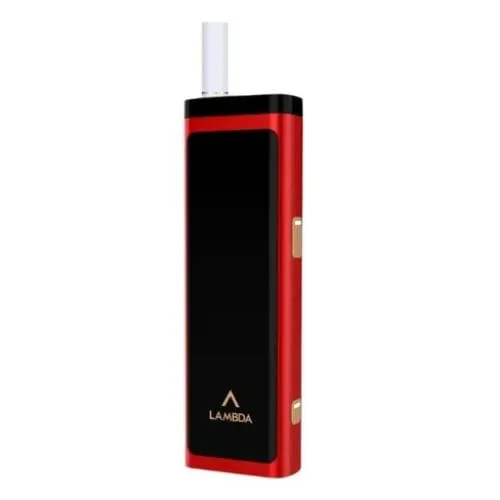
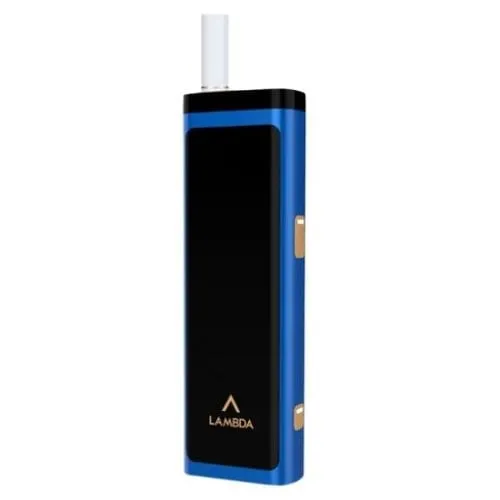
- Gold, Green, Grey, Red and Silver
- The full Lambda i9 collection
- Previous generation: Lambda i8
- Also from LAMBDA: CC and T3
Delivery: Within 2 hours after your order is confirmed.
Frequently Asked Questions
I own an i8. Is the i9 worth it?
If you regularly check your device outdoors, yes, the OLED screen is a daily improvement. If you never kept up with the i8’s brushing, also yes, self-cleaning fixes your actual problem. Otherwise your i8 still does the same core job, and waiting is reasonable.
Does the i9 heat TEREA sticks better than the i8?
No. Same temperature range, same session range, same heating approach. The differences are the screen, the cleaning function and the colour lineup.
Do my i8 settings carry any meaning on the i9?
Yes, directly. If you settled at, say, 260°C and five minutes on the i8, start there on the i9. The ranges are identical, so your preferences transfer as numbers even though the devices do not sync anything.
Does the OLED screen drain more battery than the i8’s LED?
Nothing you will notice. Display draw on either device is a small fraction of what the heating element uses. Your temperature setting moves battery life far more than the screen technology does.
What happens to my i8 brush?
Keep it. The i9’s self-cleaning handles routine residue, but a soft brush remains the right tool if you ever want to clear the chamber mouth manually, and the i8’s brush fits the job.