

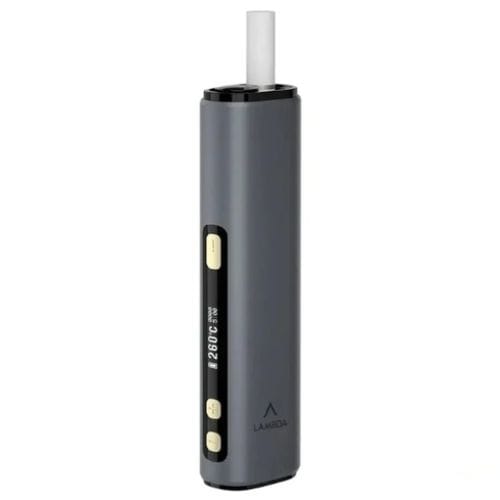
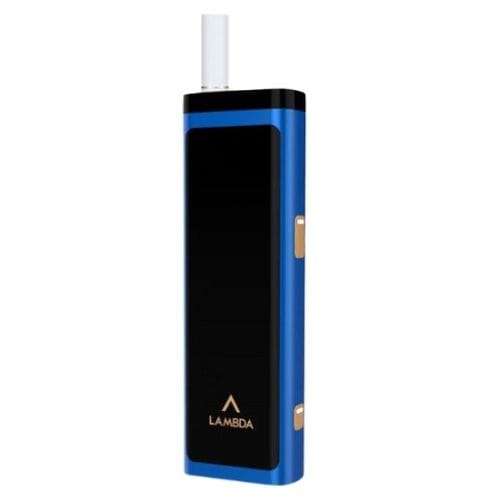
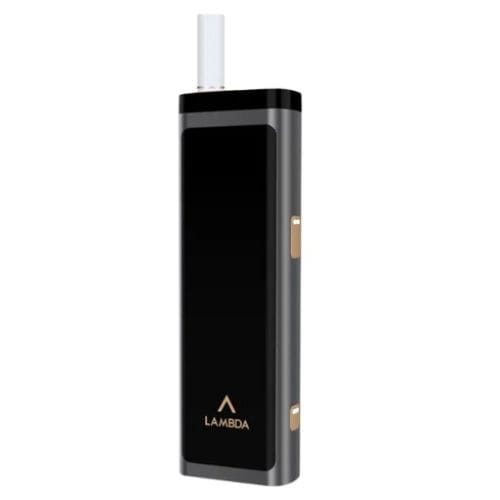

Black is the default finish in the Lambda T3 range and the one that treats the tempered glass face most kindly, since fingerprints read as smudges on black glass rather than the billboards they become on brighter tones.
The device is the standard T3: titanium steel alloy blade, two temperature levels, fixed 5 minute 30 second sessions, 1500 mAh battery, magnetic cradle, 70 grams.
A Device With No Screen: The Complete Language
The Lambda CC tells you everything on an OLED panel. The T3 tells you everything with two lights and one main button, and owners who learn the language in the first ten minutes never miss the screen. This is the whole language.
The battery light, three colours. The main button doubles as the battery gauge, read at a single click. White means comfortable: 100 percent down to around 30. Yellow means plan ahead: 30 down toward empty, which on this device is roughly the last five or six sticks. Red means done: the cell is spent and the device wants its 70 minutes on a cable. The yellow band is the one to respect, because a 1500 mAh device gives less runway after the warning than a 3200 mAh one does.
The temperature light, two colours. White is Standard, yellow is High, switched with a two-second hold of the lower button. The Army Green page covers what each level does; this light is how you confirm which one you are about to get, in the one-second pre-stick glance that every settings-holding device rewards.
💡 The Complete Light Language
| Light | Colour | It means |
| Battery (main button, one click) | ⚪ White | 100 to ~30%. Comfortable. |
| 🟡 Yellow | 30% down: the last 5 or 6 sticks. Plan the cable. | |
| 🔴 Red | Empty. About 70 minutes on any 5V 2A source. | |
| Temperature | ⚪ White | Standard level. |
| 🟡 Yellow | High level. |
Two lights, five states, the whole story of a screenless device. The yellow battery band deserves the most respect: a 1500 mAh cell gives less runway after its warning than any other Lambda.
The click patterns, four of them. One click: status check, the battery light answers. Two-second hold on the main button: start heating, confirmed by vibration, and the same hold stops a session early. Two-second hold on the lower button: switch temperature level. Five clicks on the main button: start the auto-clean cycle, run only with the cradle empty. That is the entire interface. Nothing hides in an app, nothing needs a manual after the first day, and nothing a pocket can press does anything without two deliberate seconds of intent.
What the vibrations add. The T3 confirms heating start through vibration, which means the device is usable without looking at it at all: hold, feel the buzz, wait for ready, and the session is running while the device never left your pocket’s edge. For a device pitched at one-button simplicity, this is the detail that completes the pitch.
👆 Four Gestures, the Entire Interface
Nothing hides in an app, and nothing a pocket presses does anything without two deliberate seconds.
1 click Status check
The battery light answers. Harmless in a pocket, useful everywhere else.
Hold 2s, main Start or stop heating
Confirmed by vibration, which makes the device usable by feel alone: hold, buzz, ready.
Hold 2s, lower Switch temperature level
White to yellow and back. The device holds your choice between sticks.
5 clicks Auto-clean cycle
Cradle empty, then let it run and cool before the swabs. Deliberate enough that it never fires by accident.
The one reading it cannot give you. No screen means no puff counter mid-session and no countdown. The session ends itself at 5 minutes 30 seconds or 16 puffs, and the approach of the end is signalled the classic way rather than displayed. Owners moving from the CC notice this for a week; owners moving from an old IQOS never notice it at all, because their old device told them nothing either.
Technical Specifications
| Specification | Detail |
|---|---|
| Model | LAMBDA T3 |
| Colour | Black |
| Heating | Titanium steel alloy heating blade |
| Working temperature | 2 levels, Standard and High |
| Session | 5 minutes 30 seconds or 16 puffs |
| Interface | 1 main button, 1 lower button, 2 indicator lights, vibration |
| Battery gauge | White 100 to 30%, yellow 30 to 0%, red empty |
| Auto cleaning | 5 presses of the main button |
| Stick removal | Magnetic removable heating cradle |
| Battery | 1500 mAh |
| Heatsticks per charge | 18 to 20 |
| Input | 5V, 2A |
| Charge time | Approximately 70 minutes |
| Dimensions | 100.5 x 31 x 16.2 mm |
| Weight | 70 g |
| Materials | Tempered glass, aluminium alloy, PPSU, PEEK |
| Sticks | HEETS, Marlboro HeatSticks, Parliament, Fiit |
| TEREA | Not compatible |
| Adaptor | Not included |
What Comes in the Box
- 1 x Lambda T3 in Black
- 1 x cleaning brush
- 5 x cleaning swabs
- 1 x USB cable
- 1 x user manual
Note specific to this colour: black glass shows fingerprints least of the five and dust most, the standard glass trade. A microfibre cloth in the same drawer as the swabs covers both habits at once.
How to Use It
- Charge fully before first use, around 70 minutes.
- One click: read the battery light. White is fine, yellow is planning time, red is the cable.
- Two seconds on the lower button if the level needs changing; the light confirms.
- Insert a HEETS-format heatstick into the cradle, straight down.
- Two seconds on the main button until the vibration; heating begins.
- Use for up to 5 minutes 30 seconds or 16 puffs.
- Lift the magnetic cradle out with the spent stick.
- Five clicks when a clean is due, cradle empty, then swab once cool.
Compatibility
HEETS in every variant, Marlboro HeatSticks, Parliament heatsticks and Fiit. TEREA belongs to induction and never enters a blade device: its range is the Lambda i8, i9, i10 and ILUMA i, stocked in our TEREA collection.
Storage and Care
Below 60°C always, never in a parked UAE car in summer. Glass face away from keys, wiped with microfibre. Blade discipline per the CC Black page: vertical sticks, soft tools, the cycle on schedule, cool before everything.
Other Colours
- Army Green, Blue, Gold and Red
- The Lambda T3 collection
- The screen alternative: Lambda CC
- The full Lambda range
Delivery: Same-day delivery in Dubai, next-day across Abu Dhabi, Sharjah, Ajman, Al Ain, Ras Al Khaimah, Fujairah and Umm Al Quwain.
Frequently Asked Questions
How do I check the battery without a screen?
One click of the main button. White light means 100 to about 30 percent, yellow means 30 down to empty, red means recharge now. Yellow is the planning signal, worth respecting on a 1500 mAh cell.
How do I know which temperature level is set?
The temperature light: white for Standard, yellow for High. The one-second glance before each stick is the habit that catches a level you forgot you switched.
Can the buttons trigger in a pocket?
Every action needs either a two-second deliberate hold or five rapid clicks, so accidental single presses do nothing but light the battery gauge. The interface was clearly designed for pockets.
How do I start the auto-clean?
Five presses of the main button, cradle empty, then let it run and cool before swabbing. Hotter-setting habits bring the cycle due sooner, as on every blade device.
Is there any way to see puffs remaining mid-session?
No, the T3 has no counter display; the session self-ends at 5 minutes 30 seconds or 16 puffs. CC owners miss this for a week; former IQOS owners never had it to miss.
Is Black the practical colour for the glass?
The most forgiving of the five for fingerprints, which on a glass-faced device is the daily concern. Dust shows more than on the mid-tones; the microfibre habit handles both.


Reviews
Clear filtersThere are no reviews yet.